

 Loading...





Play Line Rider online for free and turn a blank screen into a fun physics sandbox. In this line rider game, you draw a track, press play, and watch a little sled rider try to ride a line you designed. Sometimes the ride is smooth and perfect. Sometimes it flips in a funny way. Either way, you learn fast and want to try again.
Line Rider is a browser game that feels like art and science mixed together. Every slope changes speed. Every corner changes balance. If you like building, testing, and improving, Line Rider lets you do it in quick rounds that are easy for kids and satisfying for anyone who loves puzzles.
Quick idea: build your track like a story. Start with a gentle downhill to gain speed, add one cool moment like a jump or a big curve, then finish with a safe landing. This simple plan makes your tracks work better and look better too.
What is Line Rider?
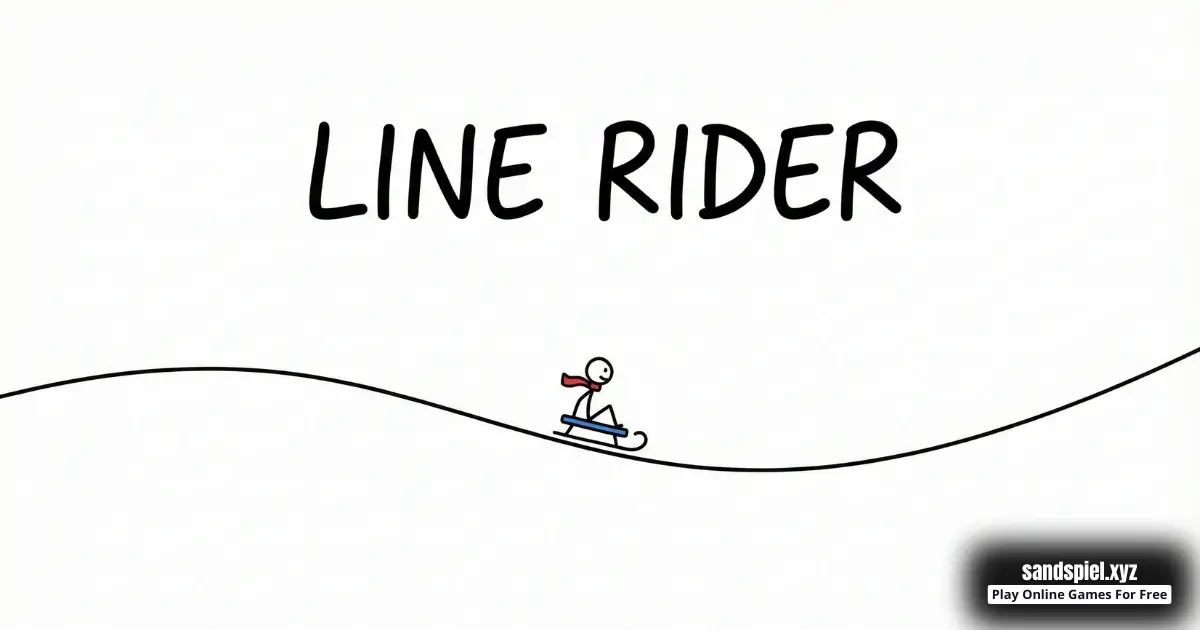
Line Rider is an online browser video game where you create a track by drawing lines, then watch a sled rider travel along that track using physics like gravity, speed, and momentum. The best part is that your drawing is the level. You are not just playing a level, you are making it.
Developer: The original Line Rider concept has a long history with multiple versions, and the developer and release date for the exact browser version you are playing are not always clearly listed on public sources. If you want background on the game's history, you can read the Wikipedia page here: https://en.wikipedia.org/wiki/Line_Rider.
People often search for "ride a line" because that is exactly what you do: you draw a line and the rider tries to follow it. Some tracks are calm like a slide. Other tracks are wild like a roller coaster. Your goal can be anything you choose, such as making the smoothest ride, the biggest jump, or a tricky track that still works from start to finish.
Try this first experiment: draw one long downhill line, then add a small bump in the middle. Run the ride. You will instantly see how a tiny change can turn a simple ride into a jump.
Line Rider Gameplay
The gameplay loop is clear and satisfying: draw, press play, watch, then adjust. You learn by testing. When the rider stops, flips, or flies off, the track is giving you a clue about what to fix. This is why Line Rider feels like a mini invention game.
A helpful way to design is to use three zones:
- Start zone: A gentle downhill that builds speed.
- Feature zone: One fun idea, like a jump, a turn, a bump, or a loop attempt.
- Finish zone: A long landing or a soft uphill that slows the rider safely.
When you build with zones, you can test each part without rebuilding everything. Example: if the rider keeps flying after a jump, the problem is often the landing, not the ramp. Make the landing longer, flatter, and placed where the rider is actually traveling, not where you hoped the rider would go.
Think in "speed budget." Steep hills add speed, uphills spend speed, and sharp angle changes waste control. Smooth shapes help the rider stay stable and keep your ride looking clean.
Line Rider Levels, Modes, Characters, or Upgrades
Many browser versions of Line Rider focus on free creation, not upgrades. You usually do not level up a character or collect items. The fun comes from building better tracks. Some versions include premade tracks or a track list, while others are pure sandbox style where you make everything yourself.
If you do not see a level menu, you can still create your own "mini campaign" with three tracks:
- Track 1: No jumps, just a smooth ride.
- Track 2: One jump with a safe landing.
- Track 3: Two jumps plus one wide turn.
This simple set helps you improve quickly because you practice the same skills in a clear order.
Platform
This version is an online browser game, so you can play on desktop, laptop, tablet, or mobile with no install required for web play. Tablets can feel especially nice because you have more space to draw and edit your track.
How to Play Line Rider
- Goal: Draw a track the rider can follow, then improve it until the ride matches your plan.
- Start with a gentle downhill line so the rider gains speed.
- Add one feature, like a ramp for a jump or a wide curve for a turn.
- Press play and watch carefully where the rider loses control or loses speed.
- Fix one problem spot at a time with small edits.
- Finish with a long landing or a gentle uphill to slow down and end cleanly.
Line Rider is easiest when you think like a designer. You are building a machine that must work, not just drawing random lines. A smart habit is to test after every big change. If you draw the whole track before testing, it becomes harder to find the exact part that caused the crash.
When the rider bounces, your angles are changing too suddenly. When the rider stops, the track likely has an uphill that is too steep right after a slow section. When the rider flips, the ramp is often too sharp or the landing is too short.
Try this beginner build: make a medium downhill, then a small ramp, then a very long flat landing. Once the rider lands cleanly three times in a row, increase the ramp a little and test again.
Line Rider Controls
Controls can vary slightly by device and version, but the idea stays the same: draw lines, then use on-screen buttons to play and restart.
Desktop controls: Use your mouse or trackpad to draw the track on the canvas. You will usually find buttons for play, pause, restart, and tool changes like erase or edit.
Mobile and tablet controls: Use your finger to draw. Many versions support pinch to zoom and drag to move the view. Tap the on-screen play and restart buttons to test your track quickly.
Pro tip for clean tracks: zoom in when you fix a bumpy corner, then zoom out to check the full flow of the ride. Clean landings usually come from small edits, not from drawing faster.
Line Rider Tips and Tricks
- Start simple: one hill, one curve, one landing. Add extra ideas only after it works.
- Make turns wide. Wide turns help the rider stay stable and stay on the track.
- Make landings longer than you think. A long landing line saves most jumps.
- Use gentle curves at the bottom of steep hills to reduce bouncing.
- Do not stack bumps too close together. Give the rider time to settle after a landing.
- When the rider stops, shorten the uphill or add more downhill before it.
- When the rider flips, soften the ramp angle instead of shrinking the landing.
- Fix failures with detective work: pause near the crash and adjust the exact spot.
- Try a tiny track challenge that fits on one screen. Small tracks teach control.
- Try a warm-up track first, then build your big idea after you feel the speed.
- End with a gentle uphill to slow down. It is a clean finishing trick.
- Test from the start often. One small change near the beginning can change everything.
Need ideas for a new Line Rider track for kids and new players? Try these quick builds that work well in the browser version:
- Speed Slide: one long downhill, one long flat finish.
- Safe Jump: medium ramp, extra long landing, then a gentle uphill stop.
- Snake Turn: three wide S-curves with small hills between.
- Bridge Gap: two ramps with a tiny gap, then widen the landing until consistent.
When something fails, change one thing and test again. It turns Line Rider online into a clear puzzle.
Example plan for a big jump: build speed with a medium hill, use a smooth takeoff ramp that points forward, then place a long flat landing where the rider is flying. If the rider lands and bounces off, make the landing even longer and slightly flatter.
If you enjoy building and experimenting, explore our Physics Sandbox Games category for more browser games that reward curiosity. If you want more thinking challenges with a creative feel, check Sandbox Puzzle Games too.
Line Rider Features
- Draw-your-own-track gameplay that turns doodles into motion.
- Physics-based movement where slopes, ramps, and corners really matter.
- Fast restart and re-test loops, perfect for quick experiments.
- Creative freedom: make smooth coasters, tiny tracks, or wild stunt rides.
- Skill growth you can feel as your tracks get cleaner and more controlled.
- Great for short breaks because one track can be built in minutes.
- Endless replay value because you can always design something new.
- Fun problem solving where every crash teaches you what to change next.
- Browser play across devices, so you can play almost anywhere with a web browser.
- Easy to set your own difficulty, from gentle slides to tricky jump chains.
Try a "theme track" to stay focused. Make a mountain track with big hills, a city track with lots of turns, or a calm track with no airtime. Themes help you build tracks that look neat and feel intentional.
Line Rider Download
This page is for playing Line Rider online in your browser. If you prefer an app version, you can also find official mobile options here:
For quick play with no install, the browser version is the fastest way to jump in, draw a track, and test your ideas.


Line Rider Unblocked
You do not need to search "Line Rider unblocked" to play here. This website provides the Line Rider browser game directly on the play page. If you are on a school or work network, always follow the rules and play only during free time or breaks.
Some networks block games to help people focus. If that happens, the best choice is to play at home, not to look for bypass methods. The safest way to return later is to bookmark the game page: Line Rider.
Line Rider Github
Some players search for "Line Rider Github," but you do not need any code to play this online game. You can play in your browser on our site with no downloads. If you are curious about making and sharing creations, the easiest first step is to practice building clean tracks and saving screenshots of your favorite rides.
No need to search for Line Rider unblocked 76, Line Rider unblocked 66, Line Rider unblocked iOS, Line Rider GitHub, Line Rider Poki, Line Rider Cool Math Games, Line Rider Math Playground, Line Rider Hooda Math, Line Rider Crazy Games, Line Rider Classroom 6x, or Line Rider 2 Player Games.
The updated, fully working version is available right here onSandspiel and you can play for free anytime on most devices and networks.
Why You'll Love It
- It turns a simple drawing into a moving ride, which feels like magic when it works.
- You can be creative and silly, or careful and precise. Both styles are fun.
- Every small edit teaches you something about speed, slopes, and smooth shapes.
- It is easy to start, but it stays interesting because you can always improve.
- The "one more try" feeling is strong because fixes are quick and testing is instant.
Try this fun challenge with a friend or sibling: set a five minute timer, each build one track, then swap and test. You will learn new design tricks by seeing how someone else draws a ride a line track.
Similar Games to Line Rider
If you like Line Rider and you want more browser games with building, physics, and creativity, try these popular picks:
Line Rider Details
Requirements
To play this game, all you need is a computer, an internet connection, and a web browser. No downloads are required!
Release Date
September 23, 2006
Developer
Line Rider was developed by Bostjan Cadez.
Platform
Web browser (desktop and mobile)
Technology
Built using HTML5 technology
FAQ
Where can I play Line Rider online?
You can play the Line Rider browser game on our site here: https://sandspiel.xyz/game/line-rider. It is online play, so you can start in seconds.
Is Line Rider free to play?
Yes. You can play Line Rider online for free in your browser on this page.
What does "ride a line" mean in this game?
It means you draw a line that becomes a track, then the rider tries to follow it. Thinking "ride a line" helps you draw paths that flow like a slide instead of sharp stairs.
How do I make smoother ramps and turns?
Use longer strokes and wider curves. Sharp corners cause bounces and flips. Zoom in and smooth the exact spot where the rider hits the track too hard.
Why does the rider crash or flip a lot?
Crashes often happen when the track changes angle too suddenly or the rider is going too fast into a bump. Soften the ramp, widen the curve, and give the rider a longer landing area.
Why does the rider stop on an uphill?
The rider usually did not have enough speed before the climb. Add more downhill earlier, shorten the uphill, or smooth the corner leading into the hill.
Does the Line Rider game have levels?
Some versions include premade tracks, but many focus on making your own. If you do not see levels, you can create your own level set by building a few tracks that get harder each time.
Can I play Line Rider on mobile or tablet?
Yes. Because it is a browser game, you can play on mobile or tablet. Touch controls can feel sensitive, so zoom in for careful edits and zoom out to see the whole track.
Do I need to download anything to play?
No. The online version runs in your browser. If you want an app version, the Download section lists official store links.
Is Line Rider safe for kids?
Yes. The game is about drawing tracks and testing physics. There is no scary content in the gameplay, and you can play at your own pace.
How do I stop the rider from flying off after a jump?
Most of the time the landing is too short or angled the wrong way. Extend the landing, flatten it a little, and place it where the rider is actually traveling.
How can I get better quickly?
Practice with small tracks and tiny missions. For example: "one clean jump," "no airtime," or "finish with a smooth stop." Small goals teach you control fast.
Can I save or share my tracks?
Save and share options depend on the version you are playing. If you do not see a save button, take a screenshot of your favorite track, then rebuild it later with improvements.
Conclusion
Line Rider is a classic line rider game that proves a simple idea can be endlessly fun. Draw a track, press play, and watch your design come alive with physics. Because it is a browser game, you can play Line Rider online anytime and start creating in seconds.
Use gentle slopes, wide turns, and long landings to make your tracks smoother. Test often, fix one spot at a time, and your ride a line creations will improve quickly.
Ready to build your next track? Play Line Rider online now and explore more creative games in our Physics Sandbox Games category.