

 Loading...




Play Color Match online for free and turn your screen into a mini art challenge. In this Color Match game, you look at a target shade, mix your own color game, paint an object, and see how close you got. It feels simple in the first minute, then surprisingly skillful once you start chasing perfect matches.
This is a browser game, so you can play instantly on desktop or mobile with no download. Rounds are short, so it is easy to practice and improve.
Want more games like this? Explore our Sandbox Puzzle Games category for more browser games that focus on experimenting, building, and solving fun problems.
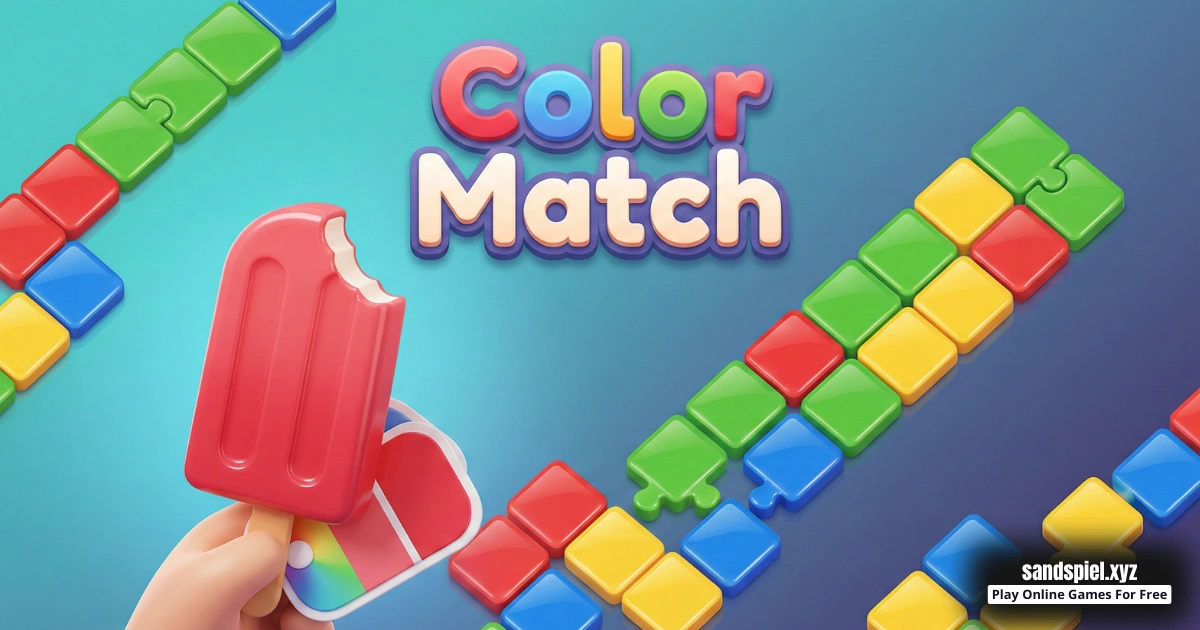
What is Color Match?
Color Match is an online browser game built around one satisfying skill: recreating a target color game as closely as possible. Each round shows you a shade you want to copy. You mix a color using the game's on-screen tools, apply it to an object, and then compare your result to the target.
Developer: Not officially confirmed on public sources. Release date:March 2025.
For a helpful reference about how colors work (in a general, educational way), see Wikipedia: https://en.wikipedia.org/wiki/Color_theory.
The best part is that every miss teaches you something. Maybe your match was too light. Maybe it was a little too warm. With practice, you build a simple "color memory" that helps you improve fast, even if you have never played a Color Match game before.
What you are really matching
Even if the tools look simple, your eyes are doing three jobs at once. When you improve at these three things, your scores usually jump up.
- Lightness: Is the target lighter or darker than your mix?
- Temperature: Does it feel warm (more yellow) or cool (more blue)?
- Strength: Is the color strong and bright, or soft and muted?
Try this: Give the target a quick name in your head, like "warm gray," "soft mint," or "dusty pink." Naming it helps you focus on the right kind of adjustment.
Color Match Gameplay
The gameplay loop is quick and clear, which makes it great for kids and beginners. You get a target color, you make your best match, you paint an object, and you learn from the result.
- Study the target and notice what stands out most: lightness, darkness, warmth, or coolness.
- Mix a first color that is close enough to test.
- Make small changes to improve the shade.
- Apply your color to the object and compare it with the target.
- Read the feedback and use it as a clue for the next round.
Example play: The target looks like "soft mint," but your result feels too cold. Next round, you keep the same lightness and nudge the tint a little warmer.
Because this is a browser game, it is easy to retry and practice. You are not "stuck" if you miss. You can simply learn, move on, and get better with each object you paint.
Color Match Levels, Modes, Characters, or Upgrades
Most Color Match style versions use simple progression. You paint new objects, face new target shades, and the game slowly adds trickier colors. Early rounds often use bold colors that are easy to name. Later rounds can be harder because the targets become muted, dusty, or "almost gray."
Quick tip: The toughest targets are often "almost something." For example, almost tan, almost purple, or almost green. Look for the tiny hint hiding inside the color game.
Some rounds may also feel harder because the object's lighting makes the color look different on curves and edges. If that happens, focus on matching the overall shade first, then fine-tune small details.
Platform
You can play Color Match as a browser game on desktop, laptop, tablet, or mobile. It runs in a modern web browser, so you can jump in anytime. For the smoothest online play, try a recent version of Chrome, Safari, Edge, or Firefox.
If the palette feels small on a phone, try landscape mode. Also set a steady screen brightness. When brightness keeps changing, you might think your mix is wrong even when it is close.
How to Play Color Match
- Goal: Match the target color as closely as you can, then apply it to the object.
- Look at the target shade and decide if it feels bright or soft.
- Check if it looks warm (yellow-ish) or cool (blue-ish).
- Create a first "base match" that is close, even if it is not perfect.
- Make tiny adjustments until your mix feels right.
- Paint the object, compare your result, and learn one lesson for the next level.
Beginner checklist (easy and fast)
- First, match how light or dark the target is.
- Second, match warm or cool.
- Third, calm it down if it looks too bright.
- Finally, do one small "last tweak" and test.
Try this routine: Fix lightness first, then fix the tint. This order makes matching easier because lightness changes the whole look. When lightness is right, you can spot tiny color differences much faster.
Common mistakes (and how to fix them)
- Big jumps: If you change too much at once, you can skip past the best match. Use small steps.
- Chasing the wrong problem: If your mix is too dark, changing the tint will not help much. Fix lightness first.
- Forgetting temperature: Warm vs cool can be the reason your match feels "off." Nudge warmer or cooler.
- Over-bright colors: If your mix looks too "neon," soften it before making it darker.
Example play: Your shade looks correct, but the score is low. Ask one question: "Is it too light or too dark?" Fix that first, then worry about warm or cool.
Color Match Controls
Color Match uses simple on-screen controls so you can focus on the color game puzzle, not complicated inputs.
- Desktop: Use your mouse or trackpad to select colors, mix, and apply paint.
- Mobile: Use touch controls to select colors, mix, and apply paint.
Controls can vary slightly by device and browser, but the idea stays the same: tap or click the tools, then paint.
Color Match Tips and Tricks
If you want better scores in the Color Match game, stop guessing wildly and start using a simple method. Think like a detective. Every target shade gives you clues. If you like this kind of creative experimenting, you can find more games like it in our Sandbox Puzzle Games collection.
A simple color matching method
- Step 1: Match lightness. Ask, "Is my color too light or too dark?" Fix that first.
- Step 2: Match temperature. Ask, "Does the target feel warm or cool?" Nudge your mix.
- Step 3: Match intensity. Ask, "Is the target strong or soft?" Calm your mix if needed.
- Step 4: Fine-tune. When you are close, make tiny changes and test again.
How to spot warm vs cool (kid-friendly trick)
Warm colors feel a little like sunlight. Cool colors feel a little like ice. This is not scary or complicated, it is just a simple way to describe color vibes.
- If the target reminds you of the sun, sand, or a lamp glow, it may be warmer.
- If it reminds you of water, sky, or shade, it may be cooler.
- If it looks neutral but still "not right," it might hide a tiny warm or cool tint.
Quick tip: When you are stuck, choose one tiny move. Either go slightly warmer or slightly cooler, then test. Tiny experiments teach you fast.
Fixing common misses fast
- Too dark: Lighten your mix first. Dark colors hide tints.
- Too light: Darken gently, then re-check warmth and coolness.
- Too green or too purple: Keep the lightness, shift the tint a little.
- Too bright: Soften the color before changing anything else.
- Looks gray but scores low: Add a tiny hint of color. Most "gray" targets are not pure gray.
Quick tips that help almost every round
- Start close, then adjust slowly. Tiny changes note beat big changes.
- Match lightness first, then fix the tint.
- If your color looks "neon," soften it before doing anything else.
- If your color looks muddy, it may be too dark or too mixed.
- When you feel stuck, reset and rebuild from a simpler base.
- Look at the target for a few seconds, then look away and look back. Fresh eyes help.
- Change only one thing at a time when you are close.
- Be extra careful with "almost gray" targets. They usually hide a tiny tint.
- Take short breaks. Even a 10 second pause can help you see differences.
- Keep a small mental note each round, like "that tan needed a hint of pink."
Example play: The target looks like gray, but your score is low. That usually means the gray is not pure. It may be a tiny bit blue, green, or brown. Add just a small tint and try again.
Color Match Features
Color Matching is easy to learn, but it stays fun because your skill grows with practice. The game keeps the rules simple so you can focus on matching shades and enjoying the painted results.
- Clear target colors that make each round feel like a puzzle.
- Fast rounds that encourage practice and improvement.
- Painting an object so you can see your color in a real-looking test.
- Feedback that teaches you what to fix next time.
- A calm, kid-friendly vibe with no complicated rules.
- Works well as a browser game on desktop and mobile.
- Progression that becomes harder with more subtle shades.
- Skill-based results, so practice matters more than luck.
- Great for short breaks because levels are quick.
- Easy to replay, because every attempt is a new learning chance.
If you are searching for a simple Color Matching browser game that still rewards practice, this one is a great pick. You can play a few rounds, learn a trick, and come back later even better.
Color Match Download
This page is focused on online play in your browser. If you prefer checking app versions on your device, you can use the official store search pages below. Please note that different apps can share similar names, so always read the listing details before installing anything.
For Android (Google Play search): Google Play
For iPhone and iPad (App Store search): App Store


Color Match Unblocked
There is no need to search "Color Match unblocked" because our website is made for easy browser play. If you are on a school or work network, always follow the rules of your location and only play during allowed free time.
Quick tip: If the game feels slow, close extra tabs, refresh the page, and try a different browser.
Color Match Github
No need to search "Color Match Github" to find a playable version. You can play the Color Match browser game directly on our site: https://sandspiel.xyz/game/color-match.
No need to search for Color Match unblocked 76, Color Match unblocked 66, Color Match unblocked iOS, Color Match GitHub, Color Match Poki, Color Match Cool Math Games, Color Match Math Playground, Color and Match Hooda Math, Color Match Crazy Games, Color Match Classroom 6x, or Color and Match 2 Player Games.
The updated, fully working version is available right here onSandspiel and you can play for free anytime on most devices and networks.
Why You'll Love It
Color Match is perfect if you like calm puzzles that still feel like a real skill challenge. It is creative, but not stressful. It is simple, but not boring. Most importantly, it rewards smart practice.
- It feels satisfying to get closer and closer to a perfect match.
- It trains your eyes to notice tiny differences in shades.
- Rounds are short, so it fits quick play sessions.
- It feels creative without needing drawing skills.
- It rewards patience and small improvements.
It is also great for friendly challenges. You can compare scores, share tips like "match lightness first," and laugh when a color that looks easy becomes tricky.
Example play: You miss the match by a little. On the next level, you remember that the target needed more warmth, and your score jumps up.
Similar Games to Color Match
If you enjoy Color Match online and you want more creative browser games, try these next. You can also browse more options in our Sandbox Puzzle Games category.
- Sandspiel
- Sandboxels
- Line Rider
- I Love Hue
- Blendoku
- Color Fill 3D
- Water Sort Puzzle
- Color Switch
Color Match Details
Requirements
To play this game, all you need is a computer, an internet connection, and a web browser. No downloads are required!
Release Date
March 2025
Platform
Web browser (desktop and mobile)
Technology
Built using HTML5 technology
FAQ
Is Color Match free to play online?
Yes. You can play Color Match online for free as a browser game on our website. Open the page and start matching shades right away.
What is the goal in the Color Match game?
Your goal is to recreate the target color as closely as possible, then paint the object and compare your result. The closer your shade, the better your accuracy.
Is Color Matching safe for kids?
Yes, this is a kid-friendly color matching puzzle with simple rules. A good tip for kids is to take short breaks and keep screen time comfortable.
Do I need art skills to play?
No. You do not need drawing skills. You only need careful looking, small adjustments, and practice.
Can I play Color Match on mobile?
Yes. You can play in a mobile browser on many phones and tablets. If the tools feel small, rotate your device to landscape mode.
Do I need to download anything?
No. Online play works directly in your browser. If you want to check app versions, use the store search links in the Download section.
Why do my colors look close but still score low?
Small differences matter, especially with lightness and warmth or coolness. Try matching how light or dark the target is first, then adjust the tint.
Should I change brightness or color tone first?
Brightness (how light or dark the color is) is often the best first fix. Once lightness feels right, tiny tone changes become easier to see.
Why do muted colors feel harder to match?
Muted shades often hide a tiny tint your eyes miss at first. With practice, you get better at spotting those small hints.
Can I play Color Match unblocked at school?
You can play in a browser, but you should always follow your school rules. Play only during allowed breaks or free time.
Why does the same color look different on another screen?
Different screens and brightness settings can show colors differently. For more consistent matching, use a steady brightness level while you play.
How can I get better fast?
Use the same routine each round: rough match, then small adjustments. After you see the result, remember one lesson and use it on the next level.
What browser works best for Color Match online?
Most modern browsers work well. If you want the smoothest experience, use an updated version of Chrome, Safari, Edge, or Firefox and close heavy tabs.
Can I play Color Match game sessions in short bursts?
Yes. This Color Match browser game is great for quick play because rounds are fast. You can play a few objects, then stop and come back later.
Is this the same as real paint mixing?
No. This is a digital color mixing puzzle inside a browser game. It can still help you notice shades, but it uses game tools, not real paint.
Conclusion
Color Match turns a simple idea into a fun skill challenge: look closely, mix smartly, and learn from each result. It is relaxing, quick, and satisfying, especially when you start noticing tiny shade differences you did not see before.
Ready to test your eyes? Play Color Match online now right now, then explore more creative titles in our Sandbox Puzzle Games category.